
Introduction
T-Mobile Home Internet has become a popular option for households looking for a simple, flexible, and affordable internet connection. Instead of relying on traditional cable lines or fiber-optic cables running directly to your home, this service uses T-Mobile’s cellular network to deliver internet through a wireless gateway.
For people who want to stream movies, attend online classes, work remotely, browse websites, or connect multiple devices, T-Mobile Home Internet can be a convenient alternative to traditional broadband. Its straightforward setup also makes it attractive to people who prefer not to schedule a technician or deal with complicated installation procedures.
However, internet performance depends on several factors, including network coverage, signal strength, local congestion, and the plan available at your address. Understanding these details can help you decide whether the service meets your household’s needs.
This guide explains how T-Mobile Home Internet works, what features it offers, how to evaluate its pricing, and what to consider before signing up. It also covers common questions to help you make an informed decision.
What Is T-Mobile Home Internet?
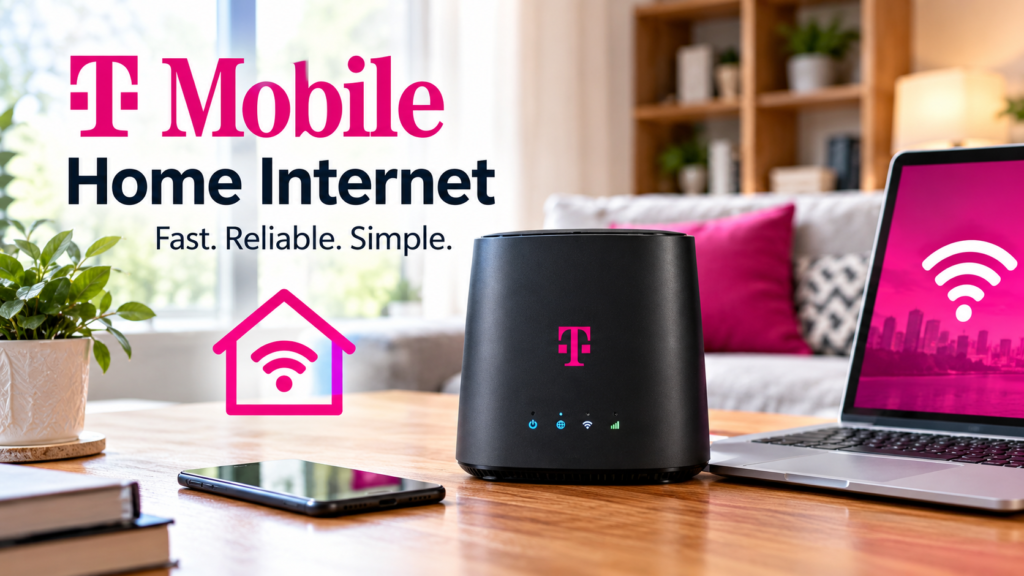
T-Mobile Home Internet is a fixed wireless internet service that connects your home to the internet through cellular signals. It uses a gateway device that receives a mobile network signal and shares the connection with your devices through Wi-Fi.
Unlike traditional broadband services, this type of connection generally does not require a cable or fiber line to be installed inside your home. You simply need an eligible service address, the appropriate gateway, and a suitable signal.
T-Mobile offers different home internet plans designed for different households. Availability and performance depend on your location, so checking your address is an important first
How Does T-Mobile Home Internet Work?
T-Mobile Home Internet works by receiving internet data from nearby cellular network equipment. The gateway then converts that connection into a Wi-Fi signal that your phone, computer, smart television, tablet, and other compatible devices can use.

The process is straightforward. First, the gateway connects to the cellular network. Next, it distributes internet access around your home. Finally, your devices use that Wi-Fi connection to browse websites, stream content, join video meetings, and perform other online activities.
The quality of your experience depends on signal strength, network capacity, the gateway’s position, and the number of devices using the connection at the same time.
Key Features of T-Mobile Home Internet
T-Mobile Home Internet includes several features that make it worth considering for everyday home connectivity.
- Wireless connectivity: The gateway receives a cellular signal instead of relying on a traditional wired broadband connection.
- Self-installation: Most customers can set up the gateway themselves without scheduling a standard technician visit.
- Unlimited data: Eligible home internet plans include unlimited data, although network management policies can affect performance.
- Wi-Fi for multiple devices: A single gateway can connect compatible devices throughout your home, subject to its coverage and capacity.
- No annual contract: The current standard plans advertise service without a long-term annual contract.
- Included gateway: Compatible equipment is included with the service, subject to the applicable plan terms.
These features can make T-Mobile Home Internet appealing to people who value convenience and straightforward billing. Check the official plan details before ordering because equipment, pricing, and included benefits may vary by plan.
T-Mobile Home Internet Plans and Pricing
Pricing is one of the first things people consider when choosing an internet provider. T-Mobile currently advertises three main national 5G home internet plans called Rely, Amplified, and All-In.
The following table summarizes the prices displayed on T-Mobile’s official plan page. These are advertised prices, not a guarantee of eligibility at every address.
| Plan | Advertised monthly price with AutoPay | Main difference |
|---|---|---|
| Rely | $50 | Essential home internet features |
| Amplified | $60 | Higher-tier gateway and fastest-speed plan positioning |
| All-In | $70 | Additional security, streaming, support, and Wi-Fi benefits |
T-Mobile also advertises lower prices for eligible customers who have a qualifying voice line. For example, the displayed prices can be reduced to $35, $45, and $55 per month, respectively. Taxes, fees, account eligibility, and offer conditions

Rely Home Internet
Rely is the entry-level option for people who want internet access for everyday activities. It includes unlimited data, a gateway, basic security features, and access without an annual contract.
This plan may suit a smaller household that mainly browses websites, watches videos, uses social media, and attends online classes. However, actual performance still depends on the network conditions in your area.
Amplified Home Internet
Amplified is designed for households looking for a higher-tier internet experience. T-Mobile advertises a premium Wi-Fi 7 gateway with this plan, alongside the core features included in its lower-tier offering.
It may be worth considering if your household has multiple active devices or wants the benefits of newer Wi-Fi equipment. Remember that a better gateway does not guarantee a stronger cellular signal or a particular internet speed.
All-In Home Internet
All-In includes additional features beyond the basic connection. T-Mobile lists advanced cybersecurity, selected streaming benefits, access to a mesh Wi-Fi extender when needed, technical support benefits, and a gateway upgrade after the specified period.
These extras can provide value to households that would otherwise pay separately for similar services. Before choosing this plan, compare the benefits you will genuinely use against the extra monthly cost.
Internet Speed and Performance
Speed is an important factor when evaluating T-Mobile Home Internet. A connection that works well for basic browsing may not provide the same experience for a household that streams several videos, downloads large files, and joins video calls simultaneously.
T-Mobile’s official disclosures for its All-In plan list typical download speeds of approximately 170–498 Mbps, upload speeds of 12–55 Mbps, and latency of 16–28 milliseconds. These figures describe the disclosed plan and should not be treated as a promise of the same results at every
Download speed affects how quickly your devices receive information. Upload speed matters when sending files, sharing videos, and participating in video calls. Latency measures how long information takes to travel between devices and servers, making it particularly relevant to online gaming and interactive applications.
Cellular connections can fluctuate during the day. A gateway may perform differently during a quiet morning than during a busy evening when more people nearby are using the network.
Is T-Mobile Home Internet Fast Enough for Streaming?
For many households, T-Mobile Home Internet can support everyday streaming, provided the local connection is strong enough. Watching online videos, listening to music, and browsing the web are common uses for this service.
High-resolution streaming generally needs more bandwidth than standard-definition video. If several people stream simultaneously, the available connection must support all their activities together.
For the best results, place the gateway in a suitable location, use a strong Wi-Fi connection, and avoid placing the device inside a cabinet or behind large objects.
Can You Use T-Mobile Home Internet for Gaming?
T-Mobile Home Internet can work for casual online gaming, but results vary. Competitive gaming is more sensitive to latency fluctuations, connection stability, and sudden changes in network performance than ordinary web browsing.
If gaming is a major priority, test the service during the hours when you usually play. A speed test alone cannot tell you everything about gaming performance, so consider latency stability and whether your connection experiences interruptions.
Coverage and Availability
Coverage is one of the most important considerations when choosing T-Mobile Home Internet. Even if T-Mobile provides strong mobile service in your town, home internet availability may differ from the coverage shown on a general mobile network map.
The company checks service eligibility by address because its home internet offering depends on network capacity and the expected experience at a specific location.

Before signing up, use the official availability checker to confirm whether a plan is offered at your home. You can start here: T-Mobile 5G Home Internet plans and availability.
If service is available, consider where the gateway will sit inside your home. Windows and open areas may offer better reception than enclosed spaces, although the best location depends on your building and nearby cellular equipment.
How to Set Up T-Mobile Home Internet
One advantage of T-Mobile Home Internet is its self-installation process. Most customers can get started without arranging a conventional cable installation appointment.
Follow these general steps:
- Confirm availability: Check that T-Mobile offers home internet at your address and select an eligible plan.
- Receive your gateway: Follow the instructions provided with your equipment.
- Choose a location: Put the gateway in an open area where it can receive a suitable cellular signal.
- Power on the device: Connect it using the supplied power adapter and allow it to establish its connection.
- Configure your Wi-Fi: Use the gateway instructions or the recommended T-Mobile setup process to connect your devices.
- Test the connection: Open a few websites and check whether your usual online activities work as expected.
The exact setup steps depend on the gateway model supplied to you. Consult the included instructions if the indicator lights suggest that the device has not connected properly.
Benefits of Choosing T-Mobile Home Internet
T-Mobile Home Internet offers several potential advantages for households looking for an alternative to traditional broadband.
Simple Installation
A self-installation process can save time and make moving into a new home easier. Customers generally do not need a technician to install a conventional cable line specifically for the service.
Flexible Service
The absence of a standard annual contract makes the service attractive to people who prefer flexibility. Always review the terms for equipment returns, promotional offers, and account cancellation before ordering.
Unlimited Data
Unlimited data is helpful for households that stream video, attend online classes, download files, or browse frequently. However, unlimited data does not necessarily mean that speeds will remain constant under every network condition.
Potential Savings
For eligible households, the advertised monthly price may compare favorably with other available internet options. The real value depends on local alternatives, required equipment, taxes, fees, and whether you qualify for a discount.
Fewer Installation Complications
Because the service relies on a cellular gateway, it may be especially convenient in homes where arranging a wired connection is difficult or unnecessary.
Potential Drawbacks of T-Mobile Home Internet
Although T-Mobile Home Internet has several strengths, it is not ideal for every household.
Performance Can Change
Wireless internet performance can fluctuate because of network congestion, signal conditions, and local infrastructure. People who need highly consistent speeds should evaluate the service carefully.https://www.t-mobile.com/support/home-internet?utm_source=chatgpt.com
Availability Is Limited by Address
Not every home qualifies. Network capacity and service eligibility can differ even between nearby neighborhoods.
Upload Speeds May Be Lower
The upload speed on a wireless connection may be less suitable for people who regularly transfer large files, broadcast high-resolution live video, or maintain demanding remote-work systems.
Home Wi-Fi Coverage Still Matters
The gateway must distribute its Wi-Fi signal throughout your property. Thick walls, large homes, and interference can affect the connection even when the gateway receives a good cellular signal.
Specialized Needs May Require Another Service
Certain professional applications, network configurations, or demanding competitive gaming setups may work better with a suitable wired broadband connection. Evaluate your actual needs rather than relying only on advertised download speeds.
T-Mobile Home Internet vs. Cable and Fiber Internet
Choosing between T-Mobile Home Internet, cable, and fiber depends on availability, price, speed, and the way your household uses the internet.
| Feature | T-Mobile Home Internet | Cable Internet | Fiber Internet |
|---|---|---|---|
| Connection type | Cellular wireless | Coaxial cable | Fiber-optic cable |
| Installation | Usually self-install | May require installation | May require installation |
| Download speed | Varies by location | Varies by plan | Often very fast |
| Upload speed | Depends on signal and plan | Often slower than download | Often much faster |
| Data allowance | Unlimited on eligible plans | Depends on provider | Depends on provider |
| Long-term contract | No annual contract on standard plans | Varies | Varies |
| Best suited for | Convenience and flexible setup | General home use | High-bandwidth needs |
These are general differences, not guarantees about every provider. Cable and fiber services vary considerably, and fiber is not available everywhere.
For someone who wants a simple setup, T-Mobile Home Internet may be appealing. For a household that frequently uploads large files or needs consistent high performance, a good fiber connection may be worth comparing when available.
Tips for Getting Better Performance
You can take several practical steps to improve your experience with T-Mobile Home Internet.
- Choose a suitable gateway location. Try an open area near a window and check the device’s signal indicators.
- Avoid unnecessary obstructions. Thick walls, metal objects, and enclosed cabinets can affect wireless reception.
- Check speeds at different times. Testing in the morning and evening can help you identify congestion or other performance changes.
- Reduce unnecessary network traffic. Large downloads on multiple devices may compete for available bandwidth.
- Keep equipment updated. Follow T-Mobile’s instructions for gateway updates and troubleshooting.
- Secure your Wi-Fi. Use a strong password and the gateway’s recommended security settings to protect your home network.
If performance remains poor after basic troubleshooting, contact T-Mobile support. The issue may relate to local network conditions rather than the position of your gateway alone.
Who Should Choose T-Mobile Home Internet?
T-Mobile Home Internet may be a good option for people who value convenience and straightforward setup. It can suit small families, students, remote workers, and households that primarily use the internet for streaming, browsing, communication, and everyday online tasks.
It may be less suitable for households that depend on consistently high upload speeds, specialized network configurations, or extremely stable latency. In those cases, compare the service with wired alternatives before making a decision.
The best choice is the one that provides an appropriate combination of speed, reliability, coverage, and cost for your particular home.
Final Thoughts
T-Mobile Home Internet is a convenient alternative to traditional broadband for households that have good cellular coverage and want simple installation, unlimited data, and flexible service. Compare current plans, check local availability, and consider your household’s internet needs before choosing the option that offers the best value.
Frequently Asked Questions About T-Mobile Home Internet
What is T-Mobile Home Internet?
T-Mobile Home Internet is a wireless broadband service that uses the company’s cellular network to provide internet access through a home gateway.
How much does T-Mobile Home Internet cost?
T-Mobile currently advertises Rely at $50, Amplified at $60, and All-In at $70 per month with AutoPay, plus applicable taxes and fees. Eligible voice-line customers may qualify for lower prices. Confirm current offers before ordering.
Does T-Mobile Home Internet have unlimited data?
Yes. T-Mobile advertises unlimited data for its current standard home internet plans. Network management policies may still affect speeds during congestion.
Is T-Mobile Home Internet available everywhere?
No. Availability depends on your service address and local network capacity. Check your address on T-Mobile’s official website before signing up.
Is T-Mobile Home Internet easy to install?
Yes. Most customers can set it up themselves using the supplied gateway and instructions, without a traditional wired installation appointment.